 ArvoРусский
The money tracker you don’t quit
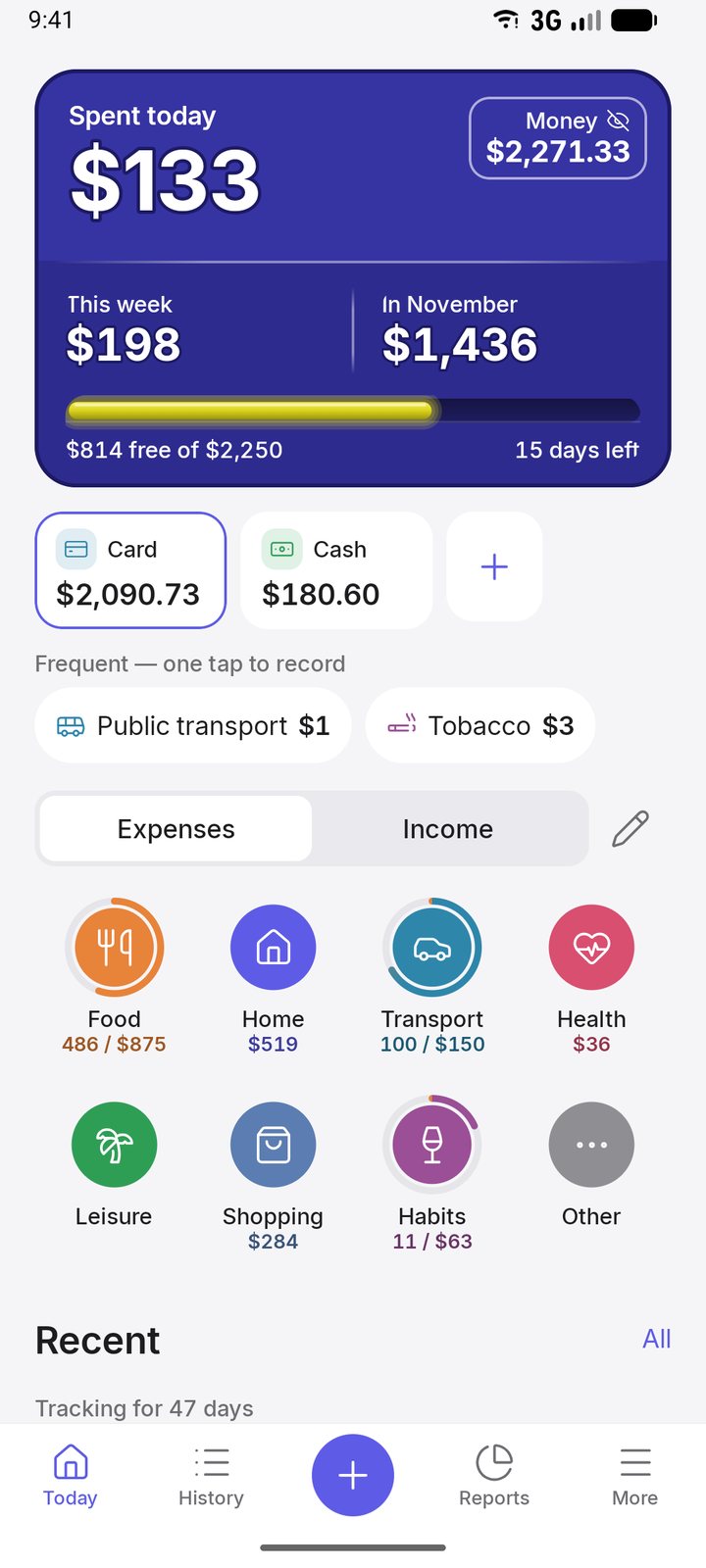
Two taps to log an expense, one glance to see where your money goes. For you and your whole family.
Why Arvo
Two taps, not a form
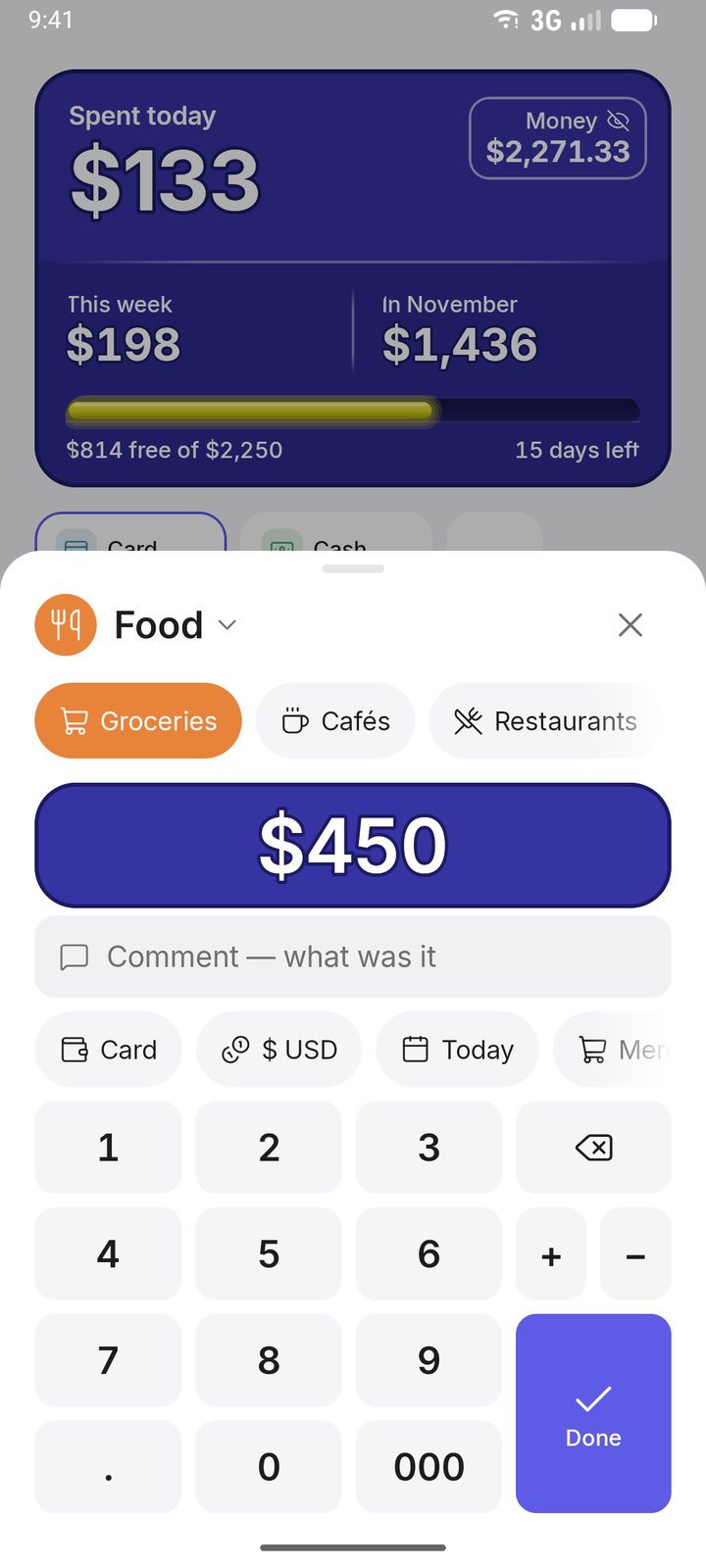
Tap a group and the subcategory is already picked — just type the amount. No account, category and date to choose every time.
No sign-up, no ads
Records stay on your phone. Cloud sync only if you turn it on.
All in one, still calm
Expenses, limits, savings with interest, debts and projects in one app, without clutter.
Works in any country
Each account has its own currency, rates update automatically. Eight languages.
No guilt
No red numbers, no “You are over budget!” — the limit bar just turns orange.
Core features free
Tracking, limits, savings, debts, reports and export are free forever. Pro adds cloud, family and the AI advisor.
Add spending in two taps
Tap a group and the subcategory is already picked — just type the amount. A calculator in the amount field, frequent expenses in one tap and a home screen widget.
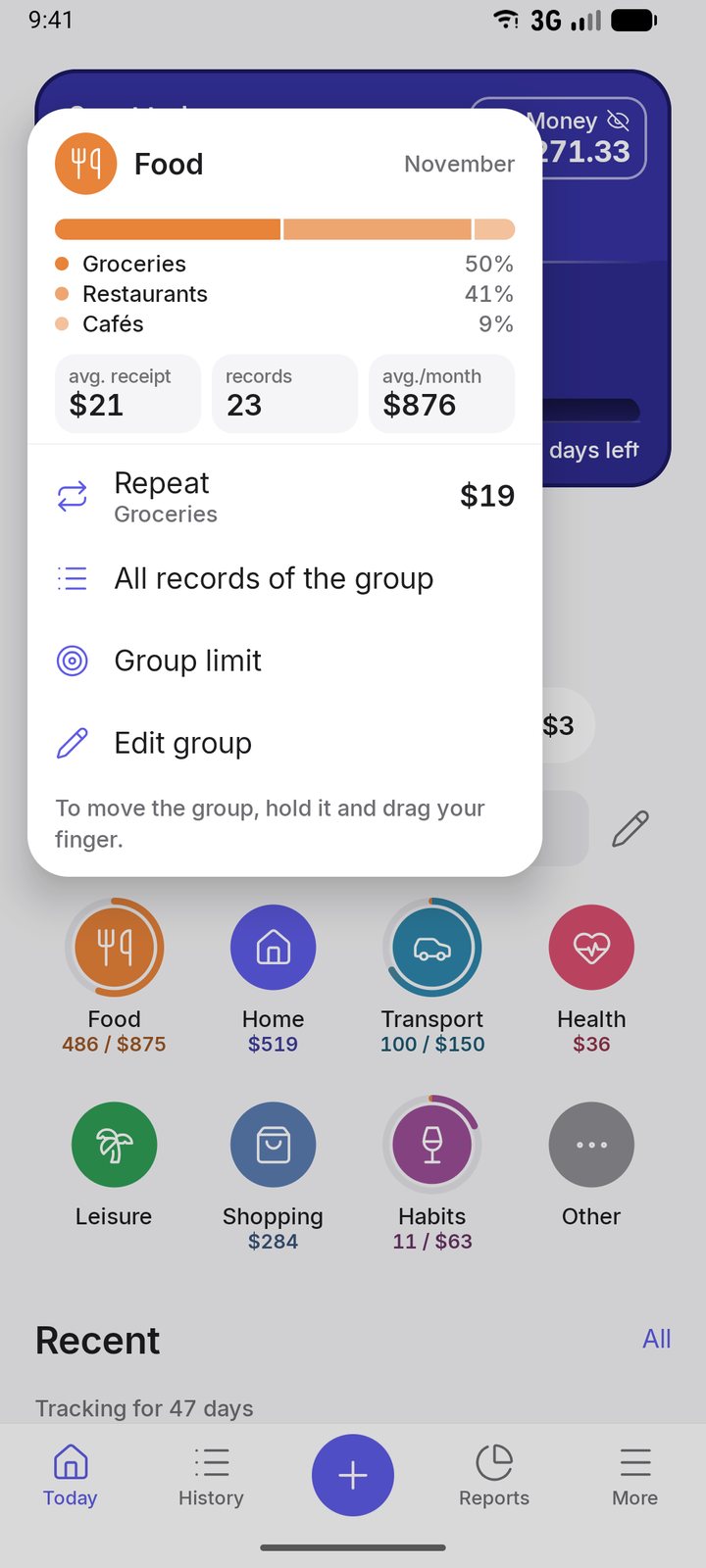
Hold a group to see it all
Spent this month and what is left of the limit, subcategory shares, average purchase and one-tap repeat of the last expense.
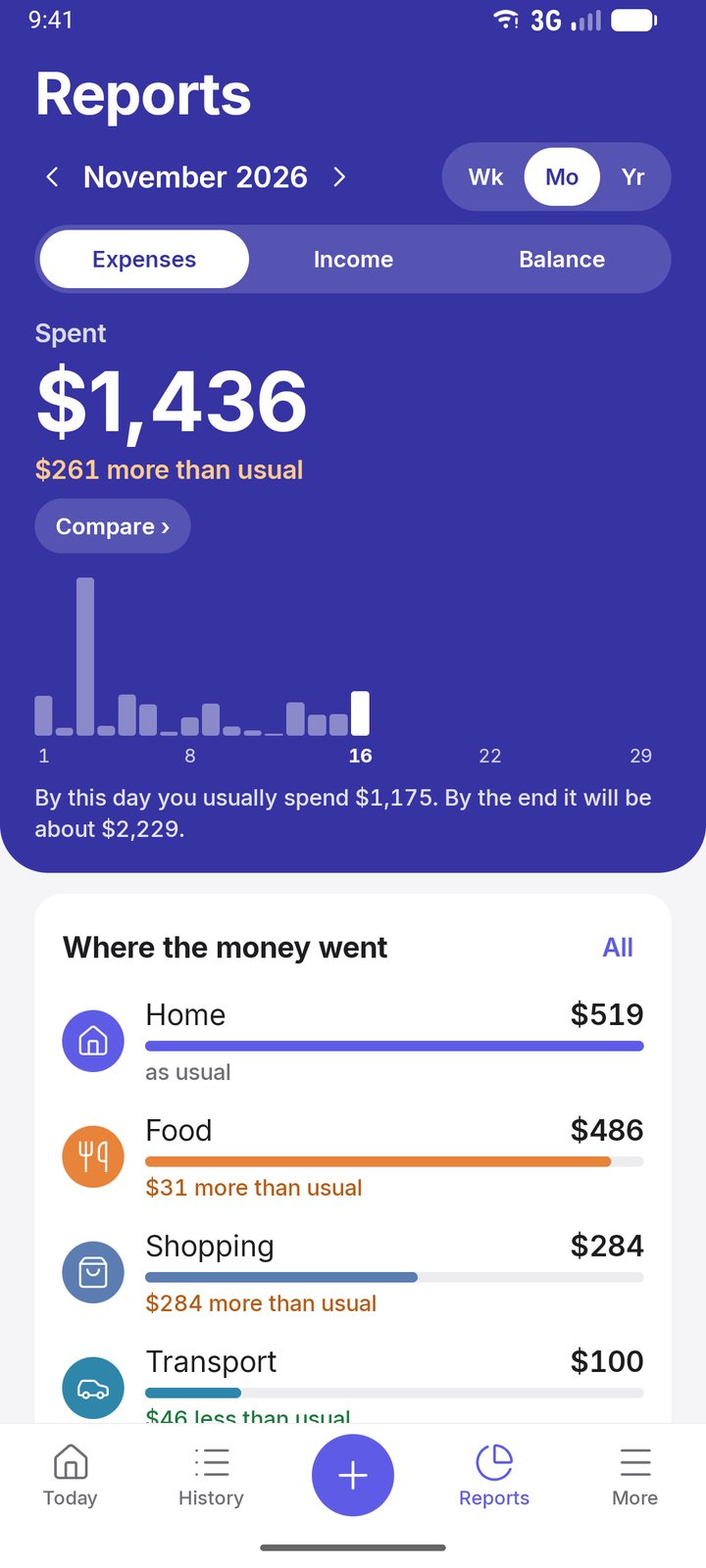
Your month as a spending calendar
A week, a month or a year on one screen: spending by day, the biggest purchases, the daily average. Share a summary as an image with amounts hidden.
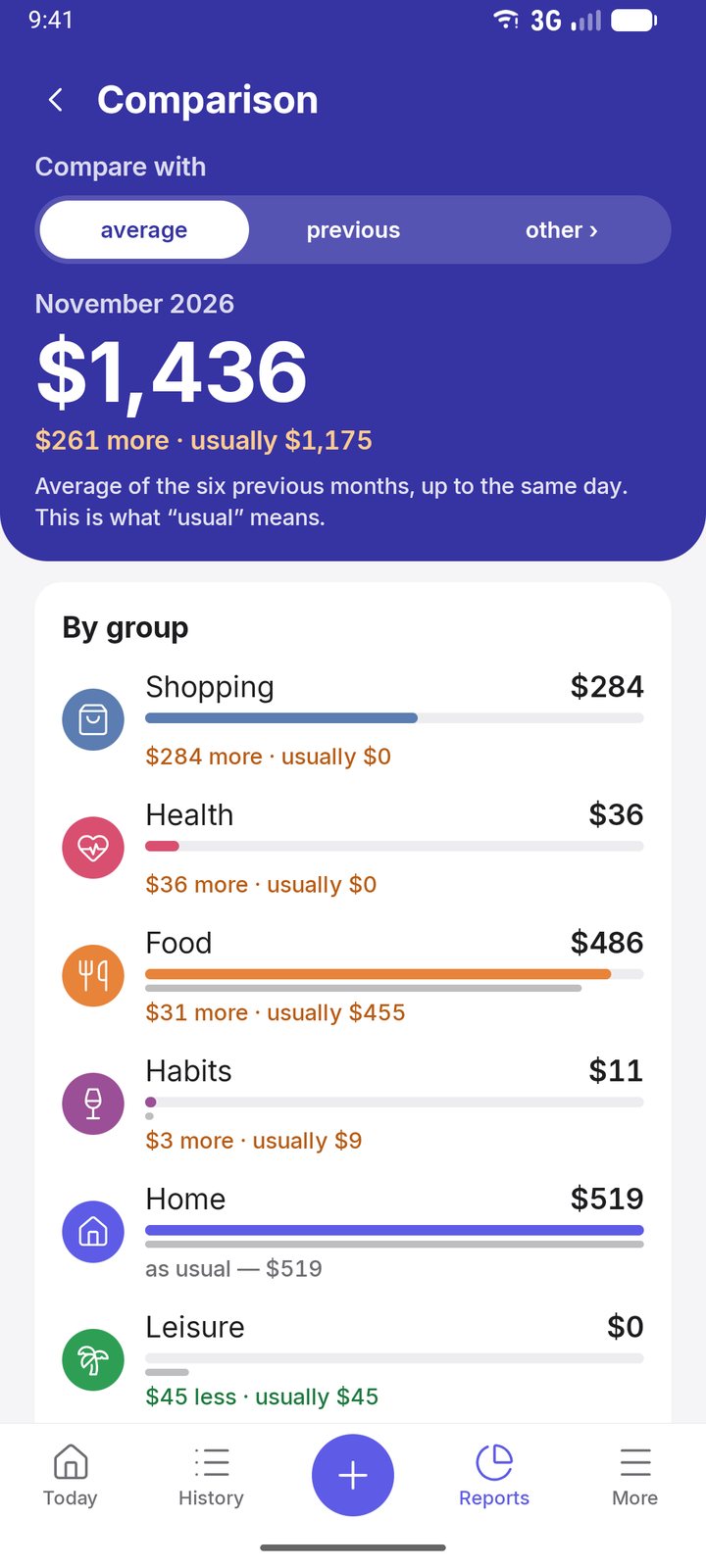
Where the money goes
Groups and subcategories with limits. The limit bar calmly shifts from green to orange — no red numbers, no blame.
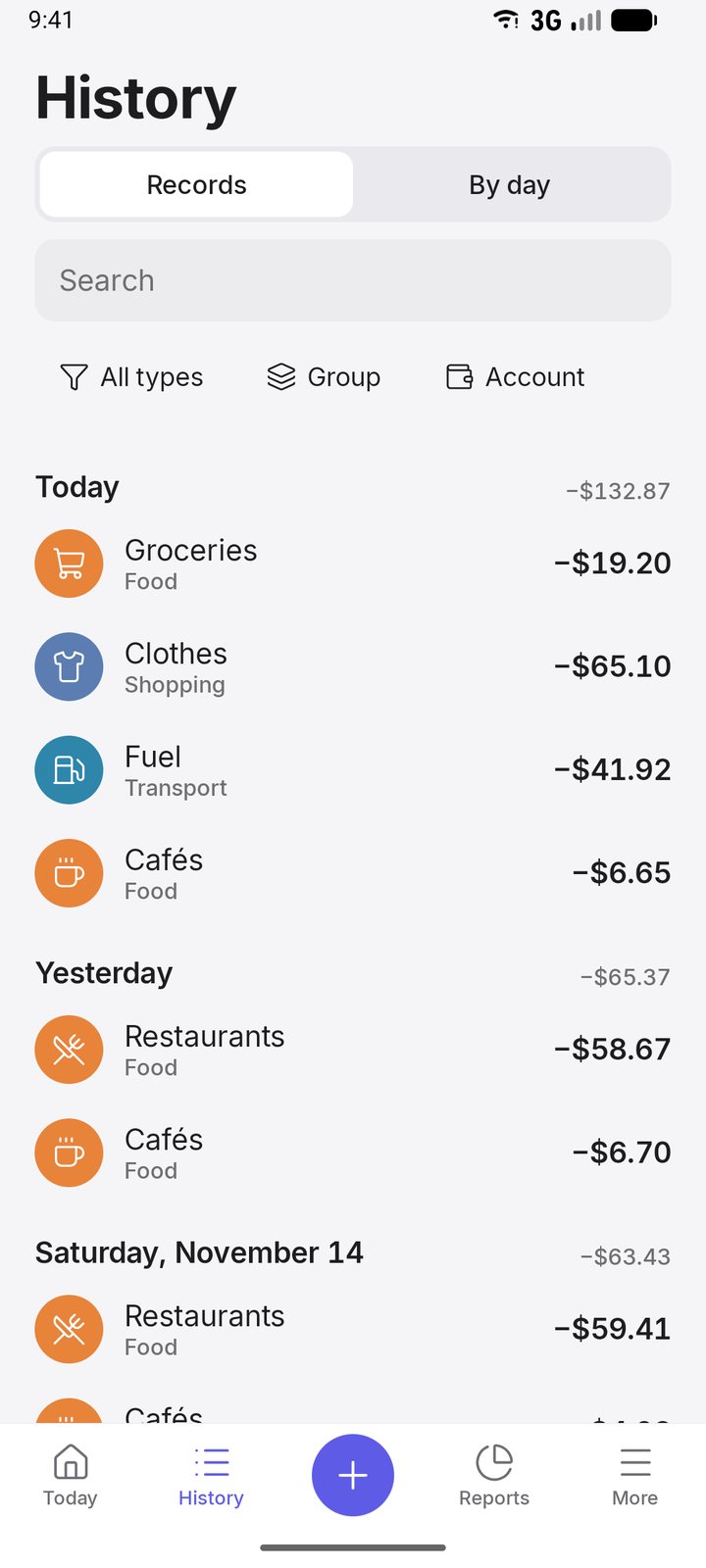
Every record, easy to find
Search by shop, note or amount. Swipe to split an expense between two categories, and undo any mistake.
Also in Arvo
Accounts and currencies
Cash, cards, savings and exchange accounts, each in its own currency. Rates update automatically.
Savings goals
Goals with a deadline and interest — daily, monthly or at the end of the term. Arvo tells you how much to put aside.
Debts
Who owes whom, partial repayments, interest and due-date reminders.
Family
A shared budget: shared accounts and goals, who spent what. Any record can be kept private.
Your data
No sign-up, records stay on your phone. PIN or fingerprint lock, export to Excel, import from CSV.
Projects
Flipping a car or renovating a flat to rent out? See what went in, what came back and the return.
Arvo in 40 seconds
FAQ
Is Arvo free?
Yes, the core is free and ad-free: expenses and income, limits, savings goals, debts, currencies, weekly and monthly reports, export. The Pro subscription adds cloud sync and family sharing, the AI advisor, unlimited receipt scans and Net worth.
Where is my data stored?
On your phone. No sign-up needed. Cloud sync and Google Drive backup are used only if you turn them on. Details are in the privacy policy.
Does Arvo read SMS or connect to my bank?
No. Arvo never asks for SMS access, bank passwords or card details. You log expenses yourself — it takes two taps.
Can I track several currencies?
Yes. Each account has its own currency; totals are shown in your main currency at the rate of the day. Crypto is supported too: USDT, BTC, ETH, TON.
How do I move from another app?
Arvo imports records from a CSV file, which almost every budgeting app can export.
Is there an iPhone version?
Not yet — Android only (Android 8 and newer).
Which languages?
English, Russian, Spanish, Portuguese, German, French, Japanese and Vietnamese — Arvo follows your phone language.