 ArvoРусский
Family budget template
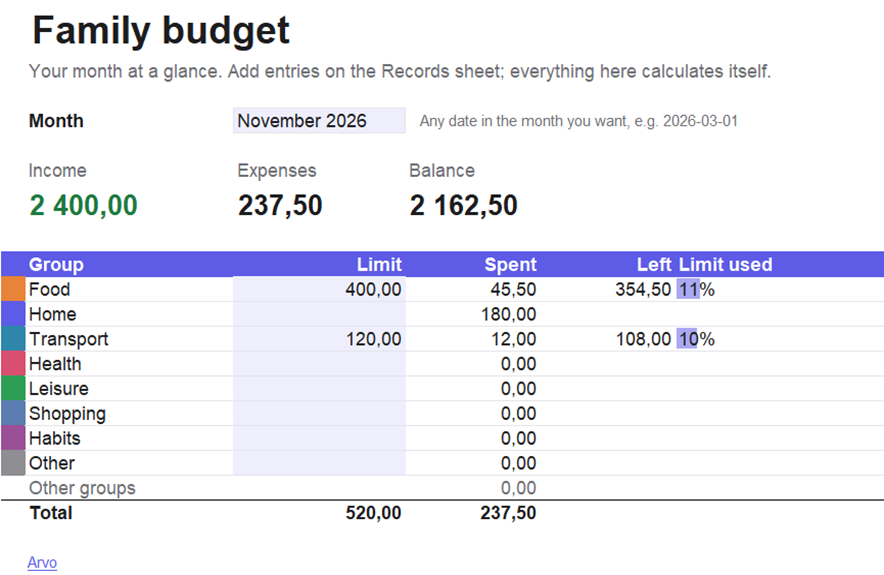
Records on one sheet, your month at a glance on another. Eight spending groups, limits, totals calculated for you. Free, no signup.
For Google Sheets: create a spreadsheet, then File → Import → Upload and choose this file. The formatting may look simpler there; the totals work the same.
How to use it
- On the Records sheet, delete the example rows.
- Add every expense and income as a new row on the day it happens.
- On the Month sheet, set limits on two or three groups where money slips away.
If you'd rather not open a spreadsheet every day
Arvo is the money tracker you don't quit: two taps to log an expense, one glance to see where your money goes. No signup, no ads, for Android.
How to move your records to Arvo
- Delete the examples and save the file. From Google Sheets: File → Download → Microsoft Excel (.xlsx).
- Send the file to your phone. In Arvo: More → Export → Choose file.
- Requires Arvo 0.13.7 or newer. Older versions read CSV only: on the Records sheet, File → Save As → type "CSV UTF-8".